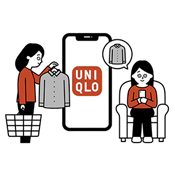
About Guest Checkout | Do I Need to Set Up An Account to Place An Order?
Guest checkout (purchase without logging in) is available even for first-time UNIQLO online store customers, requiring only minimal information input.
Table of Contents*How to Order?
*Checking Your Purchase History
*Exchanges and Returns
*Frequently Asked Questions
Delivery
| Order Type | Shipping Method | Shipping Fee (Before Tax) | Shipping Time | Shipping Method Restrictions |
|---|---|---|---|---|
| Ship to home | Standard | NEW $7.90 (before (Free over $99.90 before tax) | 1–4 business days |
|
| Click & Collect (Store Pick-up) | Standard | Free | 2–4 business days | Collect at your selected store |
* Guest Checkout is not available for pick-up today orders.
*Depending on the order details, additional days may be required . The estimated delivery date will be displayed after you confirm your delivery method during the checkout process.
*For more details regarding Shipping Method and Cost, Please [CLICK HERE].
Payment methods
Credit Card, UNIQLO Gift Card, UNIQLO eGift Card, PayPal, Klarna, Apple Pay, Store Payment
-
How to Place an Order as a Guest ?
On your shopping cart page, tap CHECKOUT.
If you do not have an account, select CHECKOUT AS A GUEST.
Enter your email address to receive order confirmations, shipping updates, and delivery notifications.
Important: If you enter an email address already registered to a UNIQLO account, you'll be asked to log in or use a different email address.
Choose your preferred delivery method.
Select your payment method. Guest checkout accepts credit cards and gift cards only.
Carefully review your email address before continuing.
Important: Once your order is placed, the email address cannot be changed.
Review your order details and make sure everything is correct.
Tap PLACE ORDER to complete your purchase.
Important: Please take a note of GUEST ID and Order# for tracking, return and exchange purposes.
If you'd like to create an account for faster checkout and order tracking, tap CREATE AN ACCOUNT at any time during checkout.
What you can do as a member ?
Some services and features require membership registration. Please see the table below for details.
To register as a member, please log in with your guest ID and register from [Order Details] or [Purchase History].
| Feature | Guest Purchase | Available Upon Member Registration |
|---|---|---|
| Payment Methods | Credit Card, UNIQLO Gift Card, UNIQLO eGift Card, PayPal, Klarna, Apple Pay, Store Payment | Credit Card, UNIQLO Gift Card, UNIQLO eGift Card, PayPal, Klarna, Apple Pay, Store Payment |
| Purchase of Pre-Order Items | 〇 | 〇 |
| Pick up Today | — | 〇 |
| Check Your Purchase History | Within 7 months | Within 15 months |
| Coupon Issuance and Use | — | 〇 |
| Add to Favorites | — | 〇 |
| Restock Notification | — | 〇 |
| Product Review Submission | — | 〇 |
You can check your purchase history by following these steps.
Open the [ Login Page ] and tap [Login with Guest ID].
Enter the email address and guest ID used when placing your order to log in.
Your guest ID is included in the order confirmation email.
If you have multiple orders, a separate guest ID will be issued for each order, so please check using the respective ID.
If you have forgotten your Guest ID, please follow the instructions on the screen under "[ Forgot your Guest ID? ]".
Please review the [Introduction | Return & Exchange Guide] section .
Exchanges
Exchanges through our online store will be treated as a return and reorder.Exchange order can only be paid for by credit card.
After logging in with your guest ID, please proceed with the exchange request.
If the item you want is in stock, you can also exchange it at a Uniqlo store .
For more Exchange related information [CLICK HERE].
Returns
Returns must be sent back to our online store warehouse. We cannot accept returns at physical stores.
See our return procedure [HERE] for more details.
-
Q. I haven't received an order confirmation email. Has my order been placed?
A. After logging in with your guest ID , if your order is reflected in [Order Details] or [Purchase History], then it is complete.
Please log in with your contact email address and guest ID to check.
Even if you don't receive an email, your order will not be affected as long as it has been processed correctly. We cannot resend order confirmation emails.
Please refer to this page for information on why you may not be receiving emails . -
Q. I don't know my guest ID.
A. Your guest ID is included in your order confirmation email.
If you have forgotten it, please follow the instructions on the screen under [ Forgot your guest ID? ]. -
Q. I cannot log in.
A. Please review the following information and double-check your contact email address and guest ID.
*Please enter your email address (including the @ symbol) using half-width alphanumeric characters and ensure there are no spaces. Please also be careful of spaces when copying and pasting.
*If you have multiple orders, a separate guest ID will be issued for each order, so please check using the ID for each order. The guest ID is included in the order confirmation email. -
Q. My orders aren't showing up even after I log in.
A. You may be logged in with a different guest ID.
If you have multiple orders, a separate guest ID is issued for each order, so please check using the ID for each order. The guest ID is listed in the order confirmation email.
If you made a purchase as a guest , you can view your purchase history for up to 7 months from the order date. -
Q. Can I change or cancel my order?
A. Please check the following.
Order Changes:
Once an order is placed, it cannot be changed.
If you wish to make changes, please cancel your order and place a new one.
Order cancellations are only possible within 30 minutes of placing the order.
Your order details include the items you ordered, your preferred delivery method, and your preferred payment method.
Order Cancellation:
Orders can be canceled within 30 minutes of placing the order. Click here for details. -
Q. Can I register as a member after making a guest purchase?
A. You can register as a member after logging in with your guest ID , from [Order Details] or [Purchase History].
Contact UNIQLO Canada
 BY CHAT
Monday to Sunday: 9:00am to 6:00pm ET
Closed: Christmas Day
Monday - Sunday: 9am to 6pm ET
Closed: Holidays
Monday - Sunday: 9am to 6pm ET
Closed: Holidays