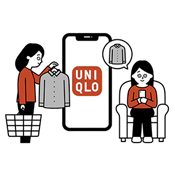
Where can I find the Product ID?
Customers can easily locate the product using their Item Code/ Product ID (6-digit) in UNIQLO APP/ website. Simply click the search button and enter the Product ID in the search engine.
Where can I find the Product ID?
You can find the 6‑digit Product ID in any of the following places:
On the product tag
On the product page on our website
On your Purchase History page if you bought the item within the past 2 years
-
How to Check from Product Tag?
On the Price Tag
On the Product Care Tag
-
How to Check from Product Page?
On the UNIQLO App
On the Website
-
How to Check from Purchase History?
To access Purchase History page for both UNIQLO APP/ website, you must first login and go to [Membership] ➡ [Purchase History] ➡ [Products]
*You can only find product code on your Purchase History page if you bought the item within the past 2 years.
Contact UNIQLO Canada
 BY CHAT
LIVE CHAT SUPPORT Operating Hours:
Monday to Sunday: 9:00am to 6:00pm ET
Closed: Christmas Day
Monday to Sunday: 9:00am to 6:00pm ET
Closed: Christmas Day
By Phone
Customer Service Operating hours:
Monday - Sunday: 9am to 6pm ET
Closed: Holidays
Monday - Sunday: 9am to 6pm ET
Closed: Holidays
By Phone
1-866-254-4756
Customer Service Operating hours:
Monday - Sunday: 9am to 6pm ET
Closed: Holidays
Monday - Sunday: 9am to 6pm ET
Closed: Holidays