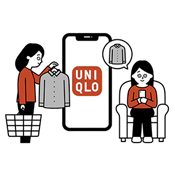
About Check Stock Availability & Setting up Restock Notifications
*How to Check Stock Availability?
*Setting up Back in Stock Notification
*Frequently Asked Questions
You have the option to search the product online either through the search bar or by browsing through each category.
To utilize the search bar, simply enter the product name or the 6 digit product code (Item Code / Product ID). [Click Here] to learn more about Product ID.
-
How to check stock availability Online?
To check the product stock status in online store, select a colour and size to check the availability.
Sizes that are out of stock appear grayed out with a slash and cannot be selected, preventing you from adding it to your cart.
If the product not yet to be released, ADD TO CART button will not appear, and you won't be able to add it to your cart. Additionally, we will also provide an estimated launch date for the item.
-
How to check stock availability in Physical Store?
You may check product availability in our UNIQLO stores by using the 【Store Availability】 function in UNIQLO APP/ website.
Select your preferred color and size, then tap 【Select a store】 to check store availability.
Enter a store name or city/province in the search field, review the stock status, and select the store where the item is available for pickup.
You may receive a restock notification by using the 【BACK IN STOCK】 function on the UNIQLO App or website.
Step 1: When the product is out of stock, tap the 【BACK IN STOCK】 button on the product detail page.
Step 2: A confirmation message will appear indicating that the Back in Stock setting is complete.
If the item is restocked within the next 120 days, you will receive a notification via app push or email.
-
How do I enroll in the BACK IN STOCK service for products that cannot be found on the website?
It is unlikely that product that cannot be found in website will be restocked, as it may already be out of season. Please not that we regularly update our inventory with seasonal products and we recommend using the search bar on the UNIQLO website to check if there is an updated version of your desired product with a new item code (Product ID).
Contact UNIQLO Canada
 BY CHAT
Monday to Sunday: 9:00am to 6:00pm ET
Closed: Christmas Day
Monday - Sunday: 9am to 6pm ET
Closed: Holidays
Monday - Sunday: 9am to 6pm ET
Closed: Holidays